
Rectangular stamp templates









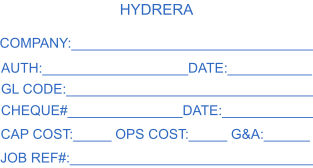








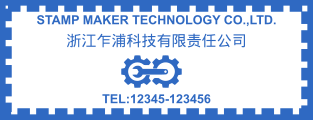
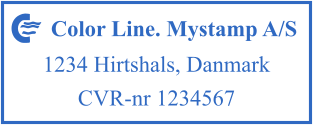

Basic information about rectangular stamps
Such seals are necessary for any business. For instance, they can indicate the location of the enterprise and its banking details. Such seals can be of various types. For example, self-inking or digital. They can contain the name of the company, its symbol, the surname and the sign of the director. A rectangular stamp may be used for the following purposes:- to free employees from performing monotonous tasks;
- to indicate the necessary information;
- to facilitate work with the company's internal documents;
- to give an official status to a document.
Criteria for choosing a perfect rectangular stamp template
Size is the most important thing when you make a layout. It is selected according to the available amount of information that must be indicated. The calculation of the length is based on the number of characters, including spaces, in the largest line. With the Mystampready service, users can find any option they need for creating a suitable custom layout. Before choosing a template, you must define the parameters. Consult a professional who has experience in this sphere and ask for help in case of difficulties.How to customize a rectangle stamp template?
After selecting a suitable design, you can look at it again and personalize the style according to your preferences. To do this, use the set of tools you can find on the Mystampready service. The constructor provides an opportunity to edit a rectangular contour, change the thickness, color and size, add the text that goes parallel to the sides or in some other direction. There’s a possibility to select a font or even to upload a picture. A vector image is the best graphic for a layout. You can download the adjusted template on your computer. And use it to stamp digital documents. You can also order and receive a rubber seal. It’s easy. First, push the proper bottom. Next, select a manufacturing company from the list.Frequently Asked Questions
How can I create a stamp online?
You can create a stamp using our online tool and stamp creator online. The maker enables everyone to create a unique stamp or company stamp. Just choose a stamp, select a stamp template or rubber stamp template, and start your design process. Our design maker and custom stamp designer allow you to create a digital stamp, ink stamp, or address stamp that perfectly fits your needs. Simply add your logo, pick a stamp format, and download your stamp in PNG with a transparent background — or ship physical stamps anywhere.
Can I personalize and customize my design?
Yes! You can create your custom stamp or make your stamp with full customization options. Choose from rubber stamp design templates, design templates, and stamp logo design ideas. Our design maker helps you design your custom round stamps, date stamps, notary stamps, or company seals. You can template and customize, personalize each detail, and help you design a custom stamp design or seal design that matches your business logo and unique design.
How can I make my own stamps?
Creating a layout is possible with a graphic editor on www.mystampready.com. The intuitive interface is simple to use. After downloading the file with a sketch, order a production of seal: made of plastic, metal, or wood.
Is there a free option to make a stamp?
Yes, you can make stamp online with our online free rubber stamp maker. The maker free plan lets you create a rubber stamp, create stamps, or make a stamp using ready design ideas and choose a design from our stamp logo generator. You can create a custom stamp for your business, press the stamp digitally, and even design a free stamp before ordering a custom stamps online version. High stamp quality and easy customization make it the best way to create the stamp you want.