
Red stamp templates

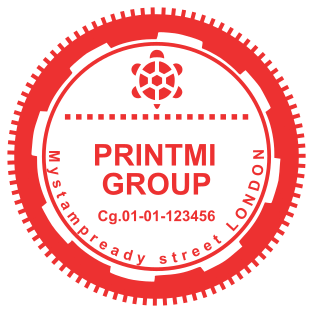



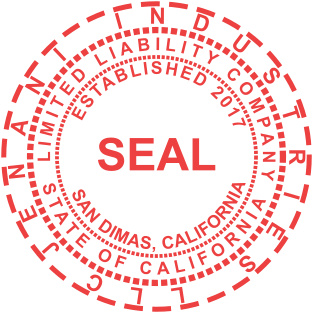
Individual stamps of bright colors look attractive on letterheads and other printed products, as well as on goods themselves.
The red stamped documents are also hard to fake. Such a design creates a long-lasting impression. The Mystampready service gives you the opportunity to choose any of many red stamp templates. You can also develop your own custom layout using the proper text effects of a font generator.
Can organizations use a red stamp?
In most countries, companies have the right to independently determine a seal color. The choice of a red stamp may be influenced by a corporate style, the desire to stand out from competitors, or simply the personal preferences of the manager. Red rubber stamp is often used to mark the following documents:- bills;
- invoices;
- birth certificates.
How do I create a red stamp design?
The best option is to use our free online constructor. Website visitors can utilize and download any of the suggested templates or make an original project by adjusting the font color and other parameters. The following tips will be helpful when choosing and customizing a red stamp template:- Make sure that the color and fonts suit the brand. A design should be selected according to the corporate style of a company.
- All elements of a layout must be harmoniously combined with each other. It is recommended to use no more than two or three fonts.
- A text on a seal should be easy to read. It is worth choosing fonts without small details.
- If you want to include a logo or graphic elements, you need to make sure that they don't overload the design and blend well with the text.
- Use of space. Effective use of the room around the text and graphics can improve the perception of a red stamp. It is not necessary to fill all the available space with contact information and drawings.
Frequently Asked Questions
How can I create a stamp online?
You can create a stamp using our online tool and stamp creator online. The maker enables everyone to create a unique stamp or company stamp. Just choose a stamp, select a stamp template or rubber stamp template, and start your design process. Our design maker and custom stamp designer allow you to create a digital stamp, ink stamp, or address stamp that perfectly fits your needs. Simply add your logo, pick a stamp format, and download your stamp in PNG with a transparent background — or ship physical stamps anywhere.
Can I personalize and customize my design?
Yes! You can create your custom stamp or make your stamp with full customization options. Choose from rubber stamp design templates, design templates, and stamp logo design ideas. Our design maker helps you design your custom round stamps, date stamps, notary stamps, or company seals. You can template and customize, personalize each detail, and help you design a custom stamp design or seal design that matches your business logo and unique design.
How can I make my own stamps?
Creating a layout is possible with a graphic editor on www.mystampready.com. The intuitive interface is simple to use. After downloading the file with a sketch, order a production of seal: made of plastic, metal, or wood.
Is there a free option to make a stamp?
Yes, you can make stamp online with our online free rubber stamp maker. The maker free plan lets you create a rubber stamp, create stamps, or make a stamp using ready design ideas and choose a design from our stamp logo generator. You can create a custom stamp for your business, press the stamp digitally, and even design a free stamp before ordering a custom stamps online version. High stamp quality and easy customization make it the best way to create the stamp you want.